---
title: Autocapture
description: Track clicks, rage clicks, dead clicks, form interactions, and media playback automatically without any code
url: https://www.supalytics.co/docs/autocapture
---
Autocapture automatically records user interactions without any additional code. The tracking script detects clicks, form submissions, media playback, and UX issues like rage clicks and dead clicks.
**Autocapture events are free for now** and don't count toward your monthly event quota. Only pageviews and custom events count toward billing.
## What Gets Tracked
| Event | Description |
| -------------------- | ---------------------------------------------------------------- |
| **Clicks** | All clicks on interactive elements (buttons, links, etc.) |
| **Rage Clicks** | Rapid repeated clicks indicating user frustration |
| **Dead Clicks** | Clicks on non-interactive elements that don't trigger any action |
| **Form Submissions** | When users submit forms |
| **Form Abandonment** | When users start filling a form but leave without submitting |
| **Media Play** | When users start playing videos or audio |
## How It Works
Autocapture is handled by the same tracking script you already have installed. No additional setup required.
```html
```
## Viewing Autocapture Events
Autocapture events appear in two places:
### 1. Events Breakdown
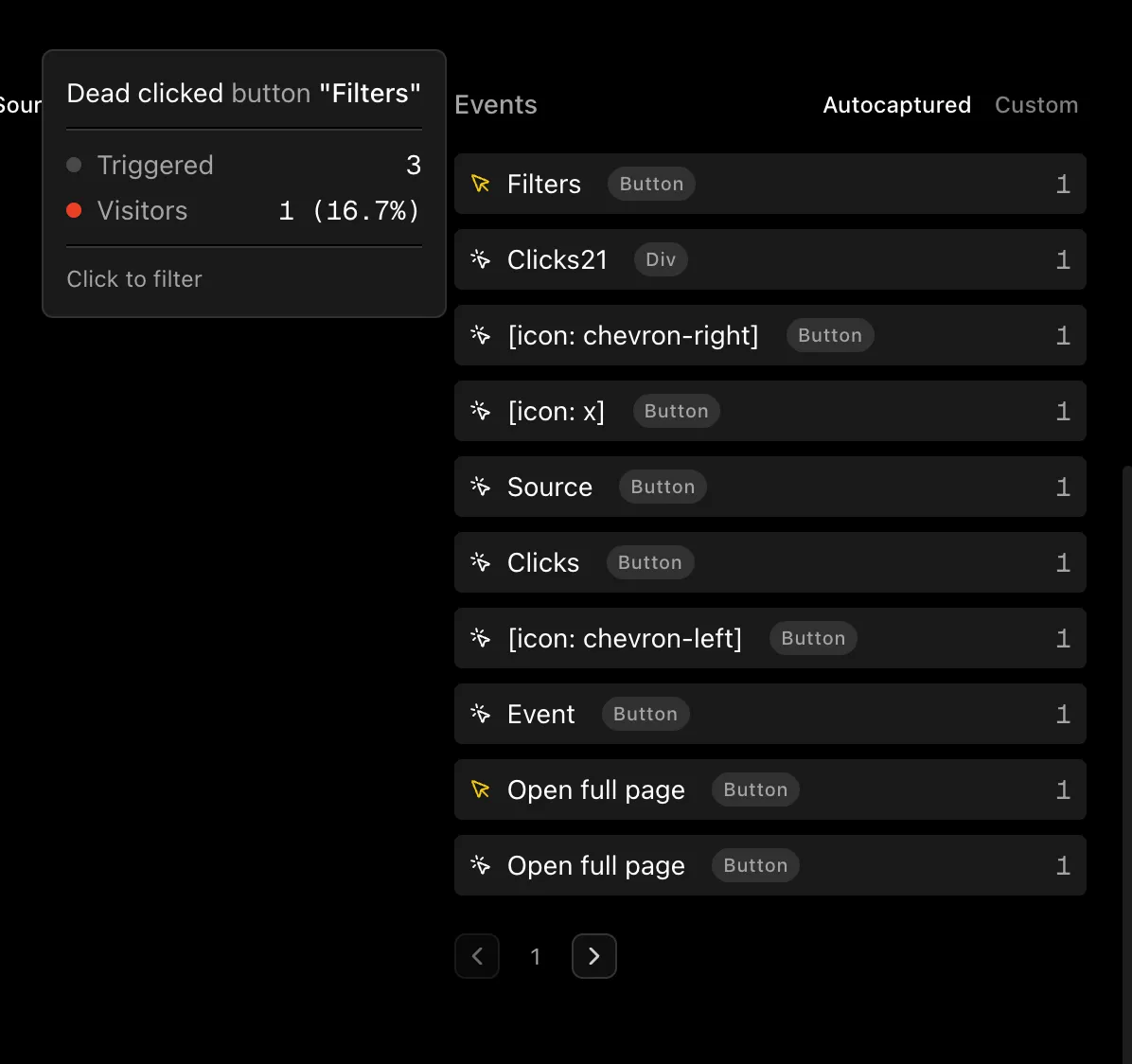
On your main dashboard, autocapture events show up in the Events card alongside your custom events. They're labeled with badges like "clicks", "rage", "dead", etc.
### 2. Visitor Journey
When viewing an individual visitor's timeline, you'll see autocapture events inline with pageviews and custom events. Hover over any event to see:
* **Page** - Which page the interaction happened on
* **Section** - The nearest heading (helps identify page area)
* **Element** - The HTML element type (`
 **Autocapture events are free for now** and don't count toward your monthly event quota. Only pageviews and custom events count toward billing.
## What Gets Tracked
| Event | Description |
| -------------------- | ---------------------------------------------------------------- |
| **Clicks** | All clicks on interactive elements (buttons, links, etc.) |
| **Rage Clicks** | Rapid repeated clicks indicating user frustration |
| **Dead Clicks** | Clicks on non-interactive elements that don't trigger any action |
| **Form Submissions** | When users submit forms |
| **Form Abandonment** | When users start filling a form but leave without submitting |
| **Media Play** | When users start playing videos or audio |
## How It Works
Autocapture is handled by the same tracking script you already have installed. No additional setup required.
```html
```
## Viewing Autocapture Events
Autocapture events appear in two places:
### 1. Events Breakdown
On your main dashboard, autocapture events show up in the Events card alongside your custom events. They're labeled with badges like "clicks", "rage", "dead", etc.
### 2. Visitor Journey
When viewing an individual visitor's timeline, you'll see autocapture events inline with pageviews and custom events. Hover over any event to see:
* **Page** - Which page the interaction happened on
* **Section** - The nearest heading (helps identify page area)
* **Element** - The HTML element type (`
**Autocapture events are free for now** and don't count toward your monthly event quota. Only pageviews and custom events count toward billing.
## What Gets Tracked
| Event | Description |
| -------------------- | ---------------------------------------------------------------- |
| **Clicks** | All clicks on interactive elements (buttons, links, etc.) |
| **Rage Clicks** | Rapid repeated clicks indicating user frustration |
| **Dead Clicks** | Clicks on non-interactive elements that don't trigger any action |
| **Form Submissions** | When users submit forms |
| **Form Abandonment** | When users start filling a form but leave without submitting |
| **Media Play** | When users start playing videos or audio |
## How It Works
Autocapture is handled by the same tracking script you already have installed. No additional setup required.
```html
```
## Viewing Autocapture Events
Autocapture events appear in two places:
### 1. Events Breakdown
On your main dashboard, autocapture events show up in the Events card alongside your custom events. They're labeled with badges like "clicks", "rage", "dead", etc.
### 2. Visitor Journey
When viewing an individual visitor's timeline, you'll see autocapture events inline with pageviews and custom events. Hover over any event to see:
* **Page** - Which page the interaction happened on
* **Section** - The nearest heading (helps identify page area)
* **Element** - The HTML element type (`